Summary
The Missing Timecard Report is a quick check tool used before posting the Transaction Batch. It shows which employees have not submitted their timecards for the selected accounting period. By reviewing this report, office staff can follow up with employees or recruiters to ensure payroll is complete and accurate.
This report is essential for:
Recruiters & Managers: remind employees to submit timecards.
Finance & Accounting: prevent billing delays and disputes.
Report Overview
Business Value
Category | Description |
Payroll Accuracy | Ensures all employee hours are captured before payroll processing. |
Operational Control | Help recruiters and managers follow up with employees who have not submitted timecards. |
Compliance | Reduces risk of labor law violations by ensuring accurate reporting of hours worked. |
Client Satisfaction | Prevents billing delays and disputes by ensuring complete payroll data. |
Known Issues or Limitations
Issues | Description |
Duplicate records | Employees with multiple assignments may appear more than once. |
Shift column missing |
Troubleshooting Guide
Issues | Problem Reason | Solution |
Active assignment not displayed | Assignment entered late with earlier start date | Ensure assignments are entered before report run |
Assignment missing | Assignment ended before report was generated | Check assignment end date |
Blank report when subscribed | Parameters not set correctly | Verify subscription parameters |
Accounting period not showing | AP has not opened yet | Confirm AP is open from ATM |
Employees missing | Transactions already tagged in batch for passed Accounting Period | Check if transaction is tagged in batch |
FAQ
Reference Video/Screenshot

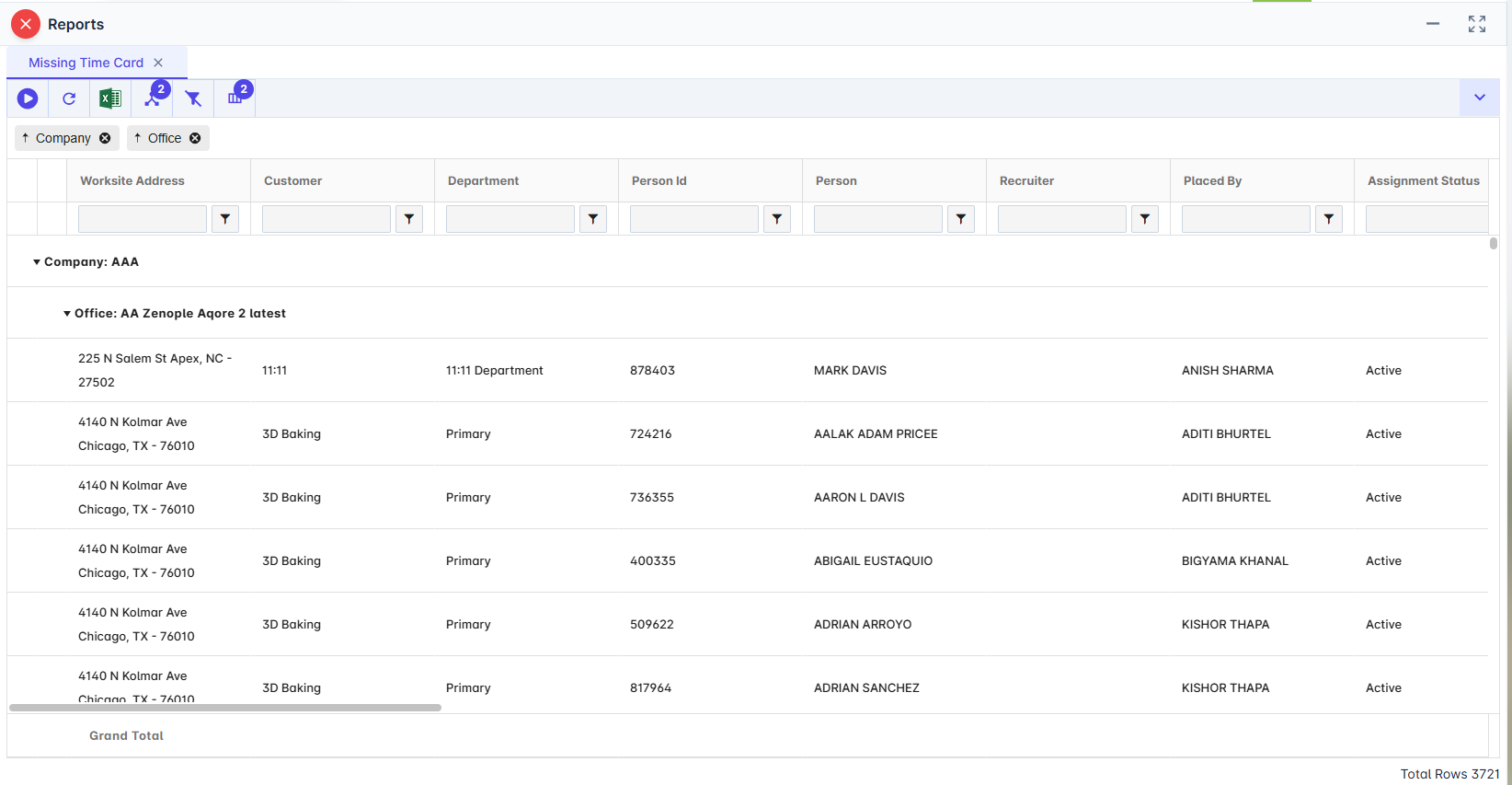
Report Details
Category | Value |
Parent Category | BackOffice |
Category | Timesheet |
Report Type | Spreadsheet Report |
Report runs from Application | RMS |
Report Category | Shareable |
Report Level | Transaction |
Report Parameters
Report Parameter | Description | Parameter Options | Default | Required |
Accounting Period | Filters missing timecards for the selected accounting period | List of accounting periods ordered by open/closed status | Yes | |
Company | Filters records by selected companies | List of companies that the users have access to | Yes | |
Office | Filters records by selected offices | List of offices for the company selected | Yes |
Report Grouping:
Company
Office
(Default grouping is by Company and Office.)
Report Columns
Report Column | Description | Definition/Logic |
Company | Company associated with assignment | |
Office | Office associated with assignment | |
Worksite Address | Job’s worksite location | |
Customer | Customer’s name associated with job | |
Department | Department of customer | |
Person Id | Employee ID | |
Person | Employee Name | |
Recruiter | Active recruiter assigned to job | |
Placed By | User who placed employee | |
Assignment Status | Status of assignment (Active, Ended, etc.) | |
Job Title | Job Title | |
Job Type | Job Type | |
Shift | Shift of Assignment | |
End Reason | Assignment end reason | |
Performance | Assignment performance | |
WC Code | Workers’ compensation code | |
Pay Rate | Assignment pay rate | |
Bill Rate | Assignment bill rate | |
Charge | Charge set up on Job | |
Input Date | Assignment entered date | |
Start Date | Assignment Start Date | |
End Date | Assignment End Date | |
Last Paid Date | Last Check Date per employee | |
Assignment Id | Assignment Id (Blank if data is for Assignment Schedule) | |
Assignment Schedule Id | Assignment Schedule Id (Blank if Data is for Assignment) | |
Job Id | Job Id | |
Pay Cycle | Pay Cycle set up in Customer’s service Profile | |
Pay Week | Pay Week set up in Customer’s Service Profile | |
Is DD | Direct Deposit is Yes when employee has active bank account of Remaining Type |
Additional Notes
This report is primarily used before Transaction close to ensure all timecards are submitted. |
Recruiters should use this report to follow up with employees proactively. |